A pay per click audit is a deep-dive analysis of your paid ad accounts designed to find wasted spend, spot growth opportunities, and crank up your overall ROI. Think of it as a comprehensive health check for your ads, covering everything from the keywords you're targeting and the ads you're writing to your landing pages and conversion tracking. It's a critical tool not just for PPC, but for informing your entire digital strategy, including how you rank on search engines (SEO) and answer user questions (AEO).
Why Your Ad Budget Disappears Without a Trace
It’s a familiar, sinking feeling for a lot of business owners. You log into your ad account, see a hefty spend for the month, but the phone isn't ringing and leads are nowhere to be found. This quiet budget drain happens way more often than you'd think, turning promising ad campaigns into expensive lessons.
Imagine a local plumbing business pouring its hard-earned money into Google Ads. Their story is simple: they want to reach homeowners with burst pipes in their specific service area (GEO). Instead, they're unknowingly paying for clicks from DIY enthusiasts across the country searching for "how to fix a leaky faucet." Every single one of those clicks costs them money but brings in zero actual business. This is the exact problem a pay per click audit is built to solve.
Uncovering the Hidden Leaks in Your Ad Spend
Think of an audit as a diagnostic tool for your advertising. It pushes past surface-level metrics like clicks and impressions to get to the why behind your performance. It’s all about telling the story of where your money is really going.
This process helps you zero in on critical issues that are easy to miss in the day-to-day grind of managing a campaign. Some of the most common money pits we uncover include:
- Keyword Mismatch: Paying for search terms that attract the wrong crowd, just like our plumber attracting DIYers instead of paying customers.
- Poor Ad Relevance: Running generic ads that don't speak directly to what a user is searching for, leading to low click-through rates and poor search engine visibility.
- Broken Conversion Tracking: Flying blind and making decisions on flawed data because your tracking isn't set up correctly to measure actual leads or sales.
- Inefficient Bidding: Overpaying for clicks during uncompetitive times or, even worse, underbidding right when your most valuable customers are searching.
A proper pay per click audit isn't just about saving money; it's about shifting your budget to capture the traffic that actually grows your business. It turns your ad spend from a mysterious expense into a predictable revenue driver and helps you rank higher for the terms that matter.
The reality is, without a systematic review, a huge chunk of an ad budget can easily vanish. Research shows that businesses can waste 20-30% of their ad spend on inefficient keywords and poor bidding strategies alone.
With the average cost-per-click on Google Ads hitting $5.26, a small business spending $100,000 annually could be losing tens of thousands of dollars without even realizing it. You can see more stats like this in these 2025 Google Ads benchmarks on Wordstream.
This guide will give you a real-world roadmap to take back control, stop the budget bleed, and unlock hidden growth. And if you need a refresher on the basics, check out our guide on what paid search advertising is.
1. Your Pre-Audit Strategic Checklist
Jumping into a PPC audit without a clear plan is like starting a road trip without a map. Before you even look at a single keyword, you need to lay some strategic groundwork. This initial setup ensures your audit is focused, efficient, and actually tied to what the business needs to accomplish to rank on search engines.
First Things First: Getting the Keys
The very first step is getting the keys to the car. To see the full picture, you'll need the right access levels for all the relevant platforms. Without this, you’re just guessing.
- Google Ads: You'll need Standard or Admin access to see all the campaigns, settings, and historical data. Anything less is like trying to audit with one eye closed.
- Google Analytics (GA4): Request at least Editor access. This is non-negotiable for digging into user behavior, verifying conversion tracking, and making sense of attribution.
- Call Tracking Software: If you're using a service like CallRail or WhatConverts, you need full access to connect phone calls back to the specific campaigns and keywords that drove them.
Define What Success Actually Looks Like
Once you've got access, the real strategic work begins. An audit isn't just about finding problems; it's about aligning every dollar of ad spend with specific business outcomes. So, what does "success" really mean for this business's story?
The answer is wildly different for every business.
A national B2B SaaS company might obsess over Return on Ad Spend (ROAS), needing to prove that every dollar spent generates a significant multiple in contract value. On the other hand, a local law firm’s lifeblood is qualified phone calls from its specific service area (GEO). For them, a high ROAS is totally irrelevant if the leads aren't turning into actual cases.
Defining these objectives upfront is the single most critical part of your pre-audit. It helps you avoid the all-too-common path of unoptimized ad spend, which starts with a budget and ends with wasted clicks and zero leads.
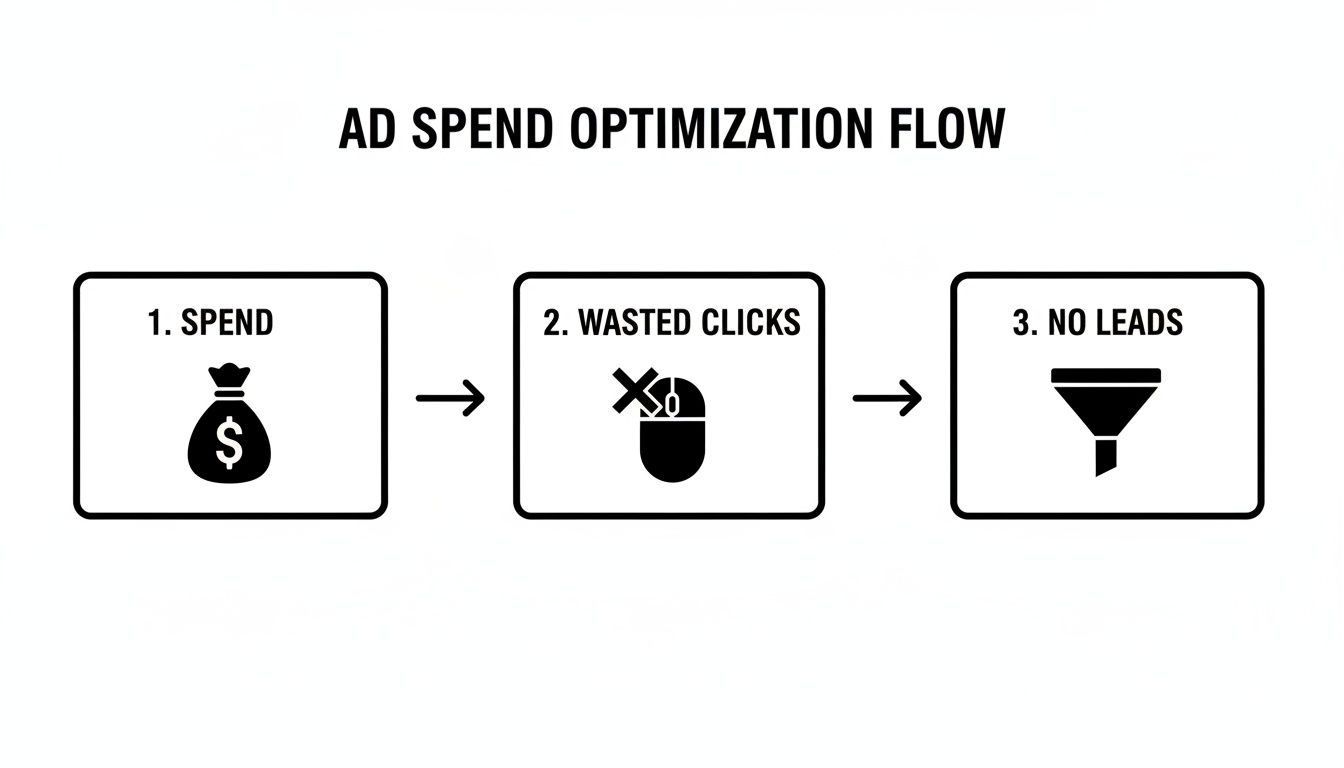
This flow perfectly illustrates how a lack of strategic focus leads directly to a leaky budget—money just pouring out without generating any real business results or search engine visibility.
Get Clear on Your Goals and Primary Metrics
To avoid that fate, you have to get specific. "More leads" is not a goal. It's a wish. Instead, define your primary objective and the Key Performance Indicator (KPI) that truly measures it.
Before you start digging for answers in the data, you need to be asking the right questions. Your primary business goal dictates every single action you'll take during the rest of the audit.
Are you trying to:
- Slash Wasteful Spending? If so, your primary KPI will be Cost Per Acquisition (CPA). Your audit will zero in on eliminating irrelevant search terms, low-performing ad groups, and inefficient campaigns.
- Maximize Lead Volume? Here, the main KPI is the total Number of Conversions. You might be willing to accept a higher CPA, as long as the lead volume keeps climbing month over month.
- Improve Profitability? The key metric now becomes Return on Ad Spend (ROAS). This is absolutely crucial for ecommerce brands, where you have to ensure ad costs don't completely eat away your product margins.
A quick pre-flight checklist can help you organize these thoughts and ensure you have what you need before you dive in.
PPC Audit Pre-Flight Checklist
Use this checklist to define your goals and gather the necessary platform access before beginning your audit.
| Audit Area | Key Objective | Primary KPI | Access Required |
|---|---|---|---|
| Lead Generation | Increase qualified leads by 15% | Cost Per Acquisition (CPA) | Google Ads, GA4, Call Tracking |
| Ecommerce Sales | Achieve a 4:1 return on spend | Return on Ad Spend (ROAS) | Google Ads, GA4, Merchant Center |
| Budget Efficiency | Reduce wasted ad spend by 20% | Wasted Spend / CPA | Google Ads, Search Terms Report |
| Brand Awareness | Increase top-of-funnel visibility | Impression Share / Clicks | Google Ads, Analytics |
This simple exercise forces you to put concrete numbers and metrics to your goals, making the entire audit process much more focused and actionable.
One final tip before you jump into your own account: doing some quick competition research is a vital step. Seeing how competitors position themselves, what offers they're running, and where they're showing up can provide crucial context and help inform your own goals and benchmarks for ranking on search engines.
By clarifying your objectives and grabbing the right tools from the start, you transform your audit from a reactive chore into a proactive strategy for growth.
Digging Into Your Account and Campaign Structure
More often than not, the number one culprit for wasted ad spend is a disorganized account structure. If your campaigns, ad groups, and targeting settings are a tangled mess, it doesn't matter how brilliant your ad copy is or how slick your landing page looks—you're fighting a losing battle for search engine ranking. This part of the audit is all about inspecting the very foundation your performance is built on.
Think of it like building a house. Without a solid blueprint, you'll end up with crooked walls, leaky pipes, and a structure that could eventually collapse. A logical, clean account structure is your blueprint for success, making sure every single dollar is spent with purpose.
This isn't just a box-ticking exercise; it's a strategic deep dive. For example, what if you discovered your click-through rate (CTR) is trailing the industry average of 3.52% for search ads? That small percentage gap could be costing you thousands in lost visibility. With 46% of page clicks going to the top three paid spots and businesses typically earning $2 for every $1 spent, a sloppy structure is a massive liability. Poor ad relevance sinks performance and makes hitting that ROI nearly impossible, a reality detailed in these key PPC benchmarks from Snowball Creations.
Campaign Naming Conventions and Budget Allocation
First stop: the campaign level. Can you tell, at a quick glance, what each campaign does? Vague names like "Campaign 1" or "Search – Main" are huge red flags. They scream "no strategy" and make any kind of meaningful analysis a total headache.
A clean naming convention tells a story. Something like Search | Dental Implants | New York City | Max Conversions is instantly clear. You know the:
- Network: Search
- Service/Product: Dental Implants
- Geo-Target (GEO): New York City
- Bidding Strategy: Maximize Conversions
This kind of clarity is crucial for quick analysis and smart budget management. Speaking of which, the next thing to check is where your money is actually going. Is your best-performing campaign—the one with the lowest CPA—constantly running out of steam by midday? Meanwhile, is a low-performer just burning through cash with nothing to show for it? Shifting funds from underperformers to your proven winners is one of the fastest ways to improve your search ranking and see a lift in results.
Verifying Location and Device Targeting
Misconfigured targeting settings are a classic budget-drainer. A local dentist in Miami has absolutely no business paying for clicks from someone searching in Seattle. During your audit, you need to verify that every campaign’s location targeting (GEO) is precise and aligns perfectly with the business's actual service area.
Don't forget to check the "Location options" in your campaign settings. Are you targeting people "in or regularly in" your locations, or did you accidentally leave on the setting for people "who show interest in" them? That "interest" setting can be great for a tourist attraction, but for a local plumber, it's a huge source of wasted spend.
Device performance is another critical checkpoint. Dig into your device reports. You might find that mobile users convert at a much higher rate, but your ads are barely showing on phones because your bids are too low. Or, you could be overspending on desktop traffic that rarely converts. Use bid adjustments to put your money where your results are.
The Critical Importance of Tightly Themed Ad Groups
This is where so many accounts fall apart. Poorly themed ad groups are a direct ticket to low Quality Scores, high costs, and awful ad relevance. This is arguably the most important element to get right in your entire account structure to rank well on search engines.
Let me tell you a story. We once audited a dental clinic that was running a single ad group for all its services. Keywords like "cosmetic dentistry," "emergency root canal," "teeth whitening cost," and "pediatric dentist" were all just dumped into one big bucket. The result? They were showing ads about teeth whitening to people frantically searching for an emergency root canal.
This mismatch between keyword intent and ad message is a recipe for disaster. Users don't click, Google penalizes you with a low Quality Score, and your cost-per-click skyrockets, hurting your ability to rank.
A proper structure would have separate, tightly themed ad groups for each service:
- Ad Group 1: Cosmetic Dentistry (keywords: cosmetic dentist, smile makeover)
- Ad Group 2: Emergency Services (keywords: emergency root canal, broken tooth repair)
- Ad Group 3: Teeth Whitening (keywords: professional teeth whitening, zoom whitening price)
By creating these laser-focused ad groups, you can write hyper-relevant ads for each specific search. The person looking for an emergency root canal sees an ad that speaks directly to their urgent need—not a generic ad about cosmetic procedures. This simple change can dramatically improve CTR, boost your Quality Score, and ultimately slash your acquisition costs. For more hands-on strategies, our guide on managing PPC campaigns effectively provides even more depth.
Digging Into Keywords, Bids, and Budgets
Once your campaign structure is solid, it's time to dive into the engine room of your account: your keywords, bids, and budgets. This is where the money is spent, and even tiny inefficiencies here can add up to massive waste. We’re going to get granular to make sure every single dollar is pulling its weight to help you rank.
Getting this right is a make-or-break situation. A single PPC audit can completely turn around an account's performance, especially when you consider that high-competition industries pay 3.4x more per click than low-competition ones. And with 65% of buyer-intent keywords being paid and the average un-audited lead costing a steep $70.11, this part of the audit is where you find the balance between spending money and making money. You can see more data on Google Ads cost benchmarks by industry on focus-digital.co.
Become a Master of the Search Terms Report
If there's one tool that can save you a fortune, it's the Search Terms Report. This isn't a "nice to have," it's absolutely critical. It shows you the exact search queries people typed into Google that made your ads show up. It’s where you find the disconnect between the keywords you think you’re buying and what you’re actually paying for. This data is pure gold for your SEO and AEO strategy, as it tells you the exact language your customers use.
Your mission is simple: hunt down irrelevant queries that are bleeding your budget dry. A roofer bidding on "roof repair" might discover they're paying for clicks on searches like "dollhouse roof repair" or "free roof repair grants." Each click is a tiny leak, but they add up to a flood of wasted ad spend.
As you find these budget-killers, add them to your negative keyword list immediately. This list acts like a bouncer, blocking your ads from showing for those specific searches in the future. A well-tended negative list is one of the fastest routes to improving performance and making your budget go further.
Using Match Types Strategically
Keyword match types are your control dials. They dictate how closely a user's search has to match your keyword for an ad to trigger. Using the wrong ones is like fishing with a net that's either way too big or way too small. Your audit needs to ask if your current match type strategy actually lines up with your business goals.
I saw this firsthand with a tech startup. Their story began with running broad match on almost everything, hoping to cast a wide net. The result? Their ads were showing up for all sorts of vaguely related searches, racking up clicks but delivering almost no qualified leads. Their visibility was high, but their business wasn't growing.
During their audit, we made a strategic pivot. We moved their core, high-intent keywords to phrase match and exact match. This tightened control dramatically, ensuring their ads only showed to people actively looking for their solution. In just one month, their Cost Per Acquisition (CPA) dropped by a staggering 40%.
That story says it all. Broad match can be great for discovering new keywords, but it will burn through your budget if you aren't pairing it with a very aggressive negative keyword strategy.
Auditing Your Bidding Strategy and Budget Pacing
Your bidding strategy is how you tell Google to spend your money. Are you setting bids yourself with Manual CPC, or have you let an automated strategy like Target CPA or Maximize Conversions take the wheel? There’s no single "best" option—the right choice hinges on your campaign's goals and, crucially, its data volume.
Your audit should get clear answers to these questions:
- Is the strategy right for the goal? If you're focused on strict profitability, a campaign running on Maximize Clicks is probably misaligned. Target ROAS would make more sense.
- Does the campaign have enough data? Automated bidding needs a steady stream of conversion data to learn and optimize effectively. If a campaign only gets a handful of conversions a month, a manual approach often provides better stability and control.
- Are your bids actually competitive? Look at metrics like "Search top impression share." If that number is low, it’s a sign your bids aren't high enough to get your ads seen where it counts to rank on the search engine.
Finally, check your budget pacing. Are campaigns constantly being throttled by the dreaded "Limited by budget" status? That’s a giant red flag telling you that you're missing out on potential clicks and conversions every single day. It’s a clear signal to either increase the budget for that winning campaign or shift funds from an underperformer to fuel your best horse. A good PPC audit is all about finding these opportunities to move money from campaigns that are just spending to ones that are delivering real results.
Evaluating Ad Copy, Landing Pages, and Conversion Tracking
Getting someone to click your ad is a huge win, but honestly, it’s only half the battle. The real magic—and the real money—happens after the click. This part of your audit dives into that critical user journey, from the ad they see to the page they land on and, most importantly, the action you want them to take. This is where your brand's story truly connects with the customer.

Ad Copy and Message Match
Think of your ad copy as your digital storefront sign. It needs to be compelling, clear, and perfectly lined up with what the user is looking for. A classic mistake we see all the time is showing a generic ad to someone with a very specific, urgent need.
Imagine a user frantically searches for "24/7 emergency plumber" and sees an ad that just says "Local Plumbing Services." It’s vague and totally misses their sense of urgency. A much better ad would scream, "24/7 Emergency Plumber – Call Now!" This creates a powerful message match between their search and your ad. It's the first chapter of a successful customer story.
As you dig through your ad groups, ask yourself these questions:
- Is there a strong Call-to-Action (CTA)? Does the ad clearly tell people what to do next? Think "Get a Free Quote" or "Shop Our 50% Off Sale."
- Are you using ad extensions? Sitelinks, call extensions, and location extensions can make your ad bigger, boost visibility, and give people more ways to connect with you.
- Does the ad copy nail the user's intent? Is it answering their question (AEO) and speaking directly to the problem they're trying to solve right now?
The Landing Page Experience
Once a user clicks, they have an expectation. They expect the landing page to deliver on the promise your ad just made. Any disconnect here is one of the fastest ways to waste your ad spend and lose a customer for good.
The page absolutely must load quickly—every second of delay sends your bounce rate skyrocketing. The headline on the landing page should echo the ad copy, reassuring the visitor they’re in the right place. Most importantly, your value proposition needs to be so clear and compelling that they have no reason to leave.
A landing page isn't just another webpage; it's the final sales pitch. If it's confusing, slow, or irrelevant, you’ve just paid for a click that has zero chance of converting and negatively impacts your SEO.
When you’re reviewing your landing pages, don't just go with your gut. It's essential to check your setup against established conversion optimization best practices. This ensures you're applying proven principles, not just guessing what might work.
Verifying Conversion Tracking
Okay, this is it. This is arguably the most critical part of the entire audit. Without accurate conversion tracking, every decision you make is a shot in the dark. You can have the best ads and the most beautiful landing page, but if you can't measure what's actually working, you're flying completely blind.
Conversion tracking is your source of truth. It’s what tells you which keywords, ads, and campaigns are driving real, valuable actions—form submissions, phone calls, sales, you name it. It's how you measure the success of your business's story.
Your audit has to include a forensic-level check of your tracking setup. Start by making sure your goals are configured and firing correctly in Google Analytics. Then, you need to compare the data. Do the conversion numbers in Google Ads match what you’re seeing in Google Analytics? Big differences are a massive red flag that something is broken.
We’ve seen it happen countless times: a business is thrilled with their high number of "conversions," only for an audit to reveal they were tracking something meaningless, like clicks on a social media icon. Proper setup ensures you’re counting the actions that actually grow your business. For a deeper dive, our guide on using analytics in paid search is a great resource. Without this accuracy, you can’t possibly optimize your campaigns for real-world results.
Building Your Post-Audit Optimization Roadmap
An audit that just sits in a folder collecting digital dust is a waste of time. The real value comes from turning all those insights into a concrete action plan—that's when an audit becomes a growth engine for your business. You've done the hard work of uncovering all the opportunities and cleaning up the messes. Now, it's time to build a prioritized roadmap to rank your business higher.
Without this final step, all that effort was for nothing.
The trick is to avoid jumping in and making a bunch of chaotic, random changes. You need a structured approach that lets you tackle the most important fixes first. A simple, yet incredibly effective, way to do this is to categorize every single task by its potential impact and the effort required to get it done.
Prioritizing Your Fixes
This simple framework is a game-changer. It helps you separate the easy wins from the bigger, more involved projects, immediately clarifying where you should focus your energy for the fastest results.
Here's how I like to break it down:
- Quick Wins (High Impact, Low Effort): These are your absolute top priorities. A perfect example is adding 20 new negative keywords you just found lurking in the Search Terms Report. This is a task that takes just a few minutes but can immediately stop budget from being wasted on irrelevant clicks.
- Major Projects (High Impact, High Effort): These are the significant, but totally worthwhile, undertakings. Think about completely restructuring an account where the ad groups are a mess and have no clear theme. It's a heavy lift, for sure, but it will pay dividends for years in the form of lower costs and much better performance.
- Fill-Ins (Low Impact, Low Effort): These are the smaller tweaks you can knock out when you have a bit of downtime. Rewriting a single ad with a low click-through rate is a good example. It's not going to change your world, but it's a small, positive improvement.
- Time Sinks (Low Impact, High Effort): Honestly, you should just avoid these. Spending days debating a minor color change on a landing page is a classic example. The potential upside is tiny compared to the time you'll sink into it.
Your goal isn't to fix everything at once. It's to create a continuous cycle of methodical improvement that drives sustainable, long-term growth for the business and improves how you rank on search engines.
Once your priorities are mapped out, the next step is to create a testing schedule. Instead of changing ten things at once and just hoping for the best, you need to test one thing at a time.
A/B test some new ad copy. Experiment with a different landing page layout. Try out a new bid strategy, but only on a single campaign to start. This methodical approach is the only way to know for sure which changes are actually moving the needle.
Common Questions About PPC Audits
Diving into a pay-per-click audit can feel like a massive undertaking, but once you get the hang of it, it's a lot more straightforward than it seems. Here are some of the most common questions I hear from business owners and marketers, along with some quick, practical answers.
How Often Should I Run a PPC Audit?
For most accounts, I’ve found that a full, deep-dive audit is best done quarterly. This gives you enough data to spot real trends and make smart, strategic shifts without knee-jerk reactions to a weird week or two of performance.
That said, if you're running a campaign with a hefty budget or you’ve just rolled out a big change—like launching a new product line—a monthly health check is a very good idea. At the bare minimum, though, get in the habit of reviewing your Search Terms Report every single week. It's a non-negotiable for catching wasted spend before it gets out of hand.
What’s the Biggest Mistake You Usually Find in Audits?
Nine times out of ten, the most frequent and costly mistake is a completely neglected negative keyword list. It’s astonishing how much money gets torched on totally irrelevant search terms, all because no one is consistently checking their Search Terms Report.
We once audited an account for a local roofing company and found they were paying for clicks on searches like "toy car roof rack." The story is always the same: small leaks that add up to big problems. Fixing that one thing is often the fastest way to boost performance and slash wasted ad spend, sometimes literally overnight.
Can I Actually Do a PPC Audit Myself?
You absolutely can. Following a comprehensive guide like this one will get you a long way. You can definitely handle the foundational stuff—checking your search terms, seeing if your ad copy makes sense, and making sure your landing pages deliver on what your ads promise.
But for the really tricky stuff, an expert can often spot opportunities you might not even know exist. Things like verifying a complex conversion tracking setup, dissecting attribution models, or fine-tuning automated bid strategies really benefit from a specialist's experience. Sometimes, you just need a fresh set of eyes to see what you've been staring at for months.
Ready to see what’s really going on inside your ad accounts? The team here at Jackson Digital offers a free performance audit to pinpoint exactly where you're wasting money and map out a clear path to growth. Get your free audit from Jackson Digital today.