Ranking on Google Maps starts with a flawless Google Business Profile (GBP). It’s not just another listing you fill out and forget. Think of your GBP as your digital storefront—it’s the absolute foundation for your entire local SEO strategy. A fully optimized profile tells a powerful, trustworthy story to both Google and your potential customers, blending the science of SEO with the art of storytelling.
Building Your Foundation for Google Maps Dominance
Your Google Business Profile is the single most important ranking factor you have direct control over. Many business owners just fill out the basics and move on, a massive missed opportunity. An incomplete profile signals to Google that you might not be active or reliable, pushing you down the rankings.
Conversely, a meticulously completed and consistently updated profile is a huge signal of relevance and authority. This isn't just data entry; it's about strategically telling your story in a way that aligns with what local searchers are looking for.
Select Categories That Tell Your Story
Your first choice, the primary category, is critical. It tells Google the main service you provide, directly matching you with relevant searches. Be specific. If you're a plumber, don't just choose "Plumber." If you specialize in "Drain Cleaning Service," choose that. This is the first chapter of your business's story.
After setting your primary category, add relevant secondary ones. Imagine a local bakery. Their story isn't just about bread.
- Primary Category: Bakery
- Secondary Categories:
- Custom Cake Shop: This captures searches for birthday or wedding cakes, telling the story of celebration.
- Coffee Shop: Perfect if you serve espresso, telling the story of the morning rush.
- Sandwich Shop: A great way to attract the lunch crowd, telling the story of a midday break.
These extra categories broaden your reach without diluting your main focus, ensuring you appear in a wider variety of local searches.
Craft a Compelling and Localized Description
Your business description is your chance to connect with customers and weave in local keywords naturally. Don't just list services. Tell a story about your connection to the community. Mention local landmarks, specific neighborhoods you serve, or what makes your business a local favorite. This is where GEO (geography) meets AEO (Answer Engine Optimization) – you’re answering the unasked question, "Why should I choose you, a local business?"
A well-crafted description does more than just list services; it builds a local identity. For instance, a bakery in Austin could tell its story by mentioning being "a favorite stop for Zilker Park families" or "serving the best breakfast tacos in the 78704." This geo-specific language reinforces your local relevance.
This whole process boils down to carefully selecting your categories, writing a compelling description, and consistently adding fresh photos. This visual guide breaks down the essential flow for getting your GBP set up right.
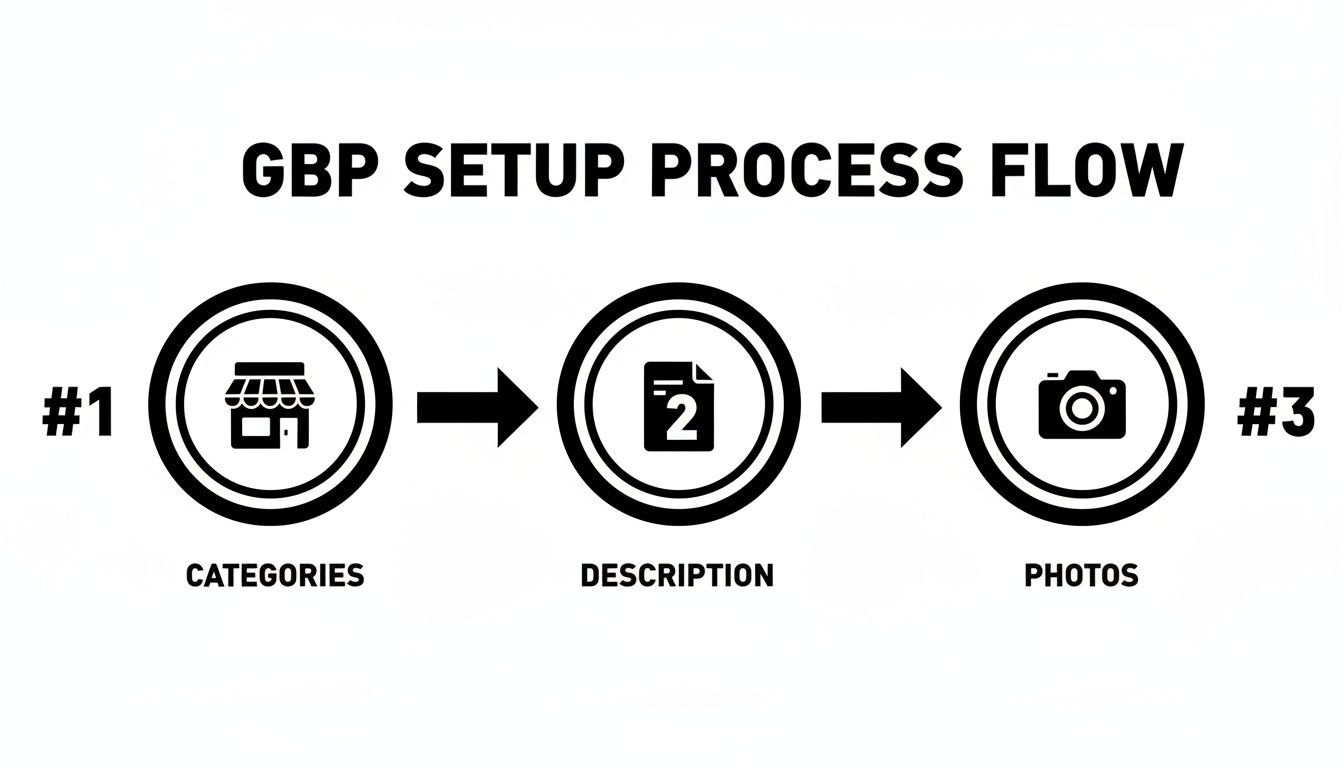
This workflow shows that a complete profile is a mix of accurate data and engaging, visual content that brings your business to life. For a deeper dive into practical steps to rank higher on Google Maps effectively, that guide offers an excellent breakdown. Similarly, understanding the fundamentals is crucial, and you can learn more about these SEO basics for small business in our detailed article.
Decoding Google's Local Ranking Algorithm
If you want to rank higher on Google Maps, you first have to understand the rules of the game. Google’s local algorithm isn't a black box. It boils down to three core pillars that decide whether you land in the coveted "Map Pack" or get lost in the digital noise: relevance, distance, and prominence.
Getting a handle on these three elements is how you tell Google that your business is the best answer for what a local searcher is looking for. Think of them like a three-legged stool—if one leg is wobbly, the whole thing falls over.
Relevance: How Well Do You Match the Search?
Relevance is the most straightforward piece of the puzzle. It answers a simple question: how well does your business profile match what someone typed into the search bar? This goes right back to the fundamentals we covered, especially getting your business categories and description dialed in.
If someone searches for "emergency dentist near me," Google scans for dental clinics with categories like "Dental Clinic" and "Emergency Dental Service." It also looks for those keywords in your description, customer reviews, and Google Posts.
For instance, a dental clinic in a competitive city might realize they aren't showing up for "cosmetic dentistry." By adding "Cosmetic Dentist" as a secondary category and creating Google Posts about their teeth whitening services, they're sending direct signals to Google about their relevance for that specific search. That's how you improve your odds.
Distance: The Unbeatable Reality of Proximity
Here’s the hard truth of local SEO: you can’t fake proximity. Distance is a factor you have to work with, not against. No matter how perfectly optimized your profile is, you're not going to rank for "plumber in downtown Austin" if your verified business address is 30 miles away in the suburbs.
Google's primary goal is to give users the most convenient and useful results, which almost always means showing the closest option. I've seen plenty of businesses get frustrated by this, but it's a non-negotiable part of the algorithm. Analysis of local search ranking factors consistently shows how heavily proximity influences who shows up, especially in the Map Pack.
For service-area businesses (SABs) like mobile car detailers or roofers, this means defining your service area in your GBP is absolutely critical. Be realistic and specific with the zip codes or cities you serve. This won't magically make you rank in a town where you don't have a physical presence, but it tells Google exactly where you operate.
Prominence: Your Business's Digital Reputation
Prominence is where the real storytelling begins. This pillar is all about how well-known your business is, both online and in the real world. Google gauges this by looking at your entire digital footprint—it's essentially your business's reputation on the web.
Think of it this way: if two equally relevant coffee shops are the same distance from the searcher, Google will almost always rank the one with better prominence higher.
Prominence is your authority. It’s the sum of your reviews, local news mentions, directory listings, and the links pointing to your website. It’s the digital equivalent of word-of-mouth, and it’s your best tool for expanding your ranking radius.
So, how do you actually build it? It comes down to real-world engagement. A dental clinic could partner with a local parenting blog for a feature on children's dental health, earning a powerful local backlink. A bakery might get featured in a local news story about the "best croissants in the city." These are the kinds of signals that prove to Google you’re a legitimate, trusted, and prominent fixture in the local community.
To help you put this all together, here’s a quick breakdown of the three pillars and how to take action on each one.
The Three Pillars of Google Maps Ranking
| Ranking Pillar | What It Means for Your Business | Actionable Optimization Tip |
|---|---|---|
| Relevance | Your business profile directly matches the user's search query. | Choose highly specific primary and secondary categories. Weave local keywords into your business description and Google Posts. |
| Distance | The physical proximity of your business to the searcher. | Ensure your address is accurate. Define a realistic and specific service area if you are an SAB. |
| Prominence | Your overall authority and reputation across the web. | Actively build your review profile, acquire local backlinks from community partners, and ensure your business is listed in reputable directories. |
Focusing your efforts on improving your relevance, proving your prominence, and working within the reality of distance is the foundation for a winning local SEO strategy.
Building Authority with Citations and Reviews
Once your Google Business Profile is dialed in, it's time to build its authority across the internet. Think of it this way: your GBP is your digital storefront, but Google needs to see consistent road signs all over the web pointing back to it. Without them, it's hard for the algorithm to trust that you are who you say you are.
Two of the most powerful ways to build this kind of trust are with business listings, known as citations, and a steady stream of customer feedback, or reviews. These are non-negotiable for anyone serious about ranking higher on Google Maps.
Master Your NAP Consistency
The bedrock of a strong local presence is NAP consistency. This acronym—standing for your business Name, Address, and Phone Number—is where countless businesses accidentally shoot themselves in the foot.
It sounds simple, but it’s critical. Google’s bots crawl the web, scouring directories like Yelp, Apple Maps, and industry-specific sites for any mention of your business. When they find your NAP, they cross-reference it with your GBP. Every exact match is a vote of confidence, reinforcing your legitimacy.
But tiny mistakes can cause big problems. Let's say we have a company called "Main Street Plumbing Inc."
- On their GBP, they are "Main Street Plumbing Inc."
- On Yelp, they're listed as "Main St. Plumbing"
- On an old Foursquare profile, it's just "Main Street Plumbing"
To an algorithm, these might as well be three different businesses. Inconsistencies like using "St." versus "Street" or including "Inc." in some places but not others create digital static that erodes Google's trust in your data. Getting this right is a fundamental piece of the puzzle for businesses trying to nail down the best local SEO strategies available.
Conduct a Citation Audit and Build New Ones
The first step is to figure out where you stand with a citation audit. Start by Googling your business name and any variations you can think of. Fire up a spreadsheet and track every directory, website, and social profile where your business appears. Document the exact NAP listed on each one.
Once you have your list, the real work begins. You'll need to claim those listings and meticulously correct any inaccuracies. It can be a grind, but it's an absolutely essential one. The goal is to make every single listing a perfect mirror of what's on your Google Business Profile.
After you've cleaned up the mess, it's time to build new, high-quality citations. Don't just hit the big directories and call it a day. Seek out niche-specific platforms relevant to your industry, like Angi for home services or the Better Business Bureau for just about anyone. To make this process more manageable, many businesses turn to comprehensive listing management solutions to ensure their information stays accurate and consistent across the web.
Build Your Review Generation Engine
Citations build trust through data, but reviews build it through people and their stories. The social proof is undeniable. In fact, Google itself says businesses with photos and reviews get 42% more requests for driving directions. Reviews are a direct signal to Google that your business is prominent and people are engaging with it.
Your goal shouldn't be to just get a few five-star reviews. You need to create a reliable system—a review generation engine—that brings in a steady flow of feedback. Often, it's as simple as asking. A well-timed email or text message after a job is done can work wonders.
Pro Tip: Don't just ask for a review; guide their story. A prompt like, "We'd love to hear about your experience with our HVAC installation in the Riverside neighborhood" encourages customers to use the exact keywords and location details that boost your local SEO.
And, crucially, you must respond to every single review. The good, the bad, and the lukewarm. Every response tells Google you're an active, engaged business owner who actually cares about your customers' stories.
Turn Negative Reviews into a Positive Signal
Sooner or later, a negative review will happen. It's inevitable. But how you handle it is what truly matters. A public, professional, and empathetic response can turn a bad experience into a powerful showcase of your customer service.
Here's a simple framework for responding to a negative review:
- Acknowledge and Apologize: "Thank you for sharing your feedback. We're very sorry to hear that your experience did not meet expectations."
- Show Empathy (Without Admitting Fault Publicly): "It's understandable to be frustrated when a project timeline is delayed. We aim for clear communication on every job."
- Take it Offline: "We'd like to learn more and make this right. Please call our manager, Sarah, at [Phone Number] at your earliest convenience."
This approach validates the customer's feelings, shows potential customers that you take concerns seriously, and moves the nitty-gritty details to a private conversation. This public display of accountability is a huge trust signal—often more powerful than another generic five-star review.
Connecting Your Website to Your Map Rankings
Your website is the central hub of your digital world. In Google's eyes, it's the ultimate source of truth for your business. When the information on your site lines up perfectly with your Google Business Profile, it sends some seriously powerful trust signals that can give your map rankings a huge lift.
Think of your website and your GBP as two sides of the same coin. They have to tell the exact same story.
This isn't just about dropping a link into your profile. It’s about building a seamless, consistent experience that shouts "local authority" from the rooftops. Let's break down how to forge this critical link and turn your site into a launchpad for Google Maps success.
Create Hyper-Local Service Pages
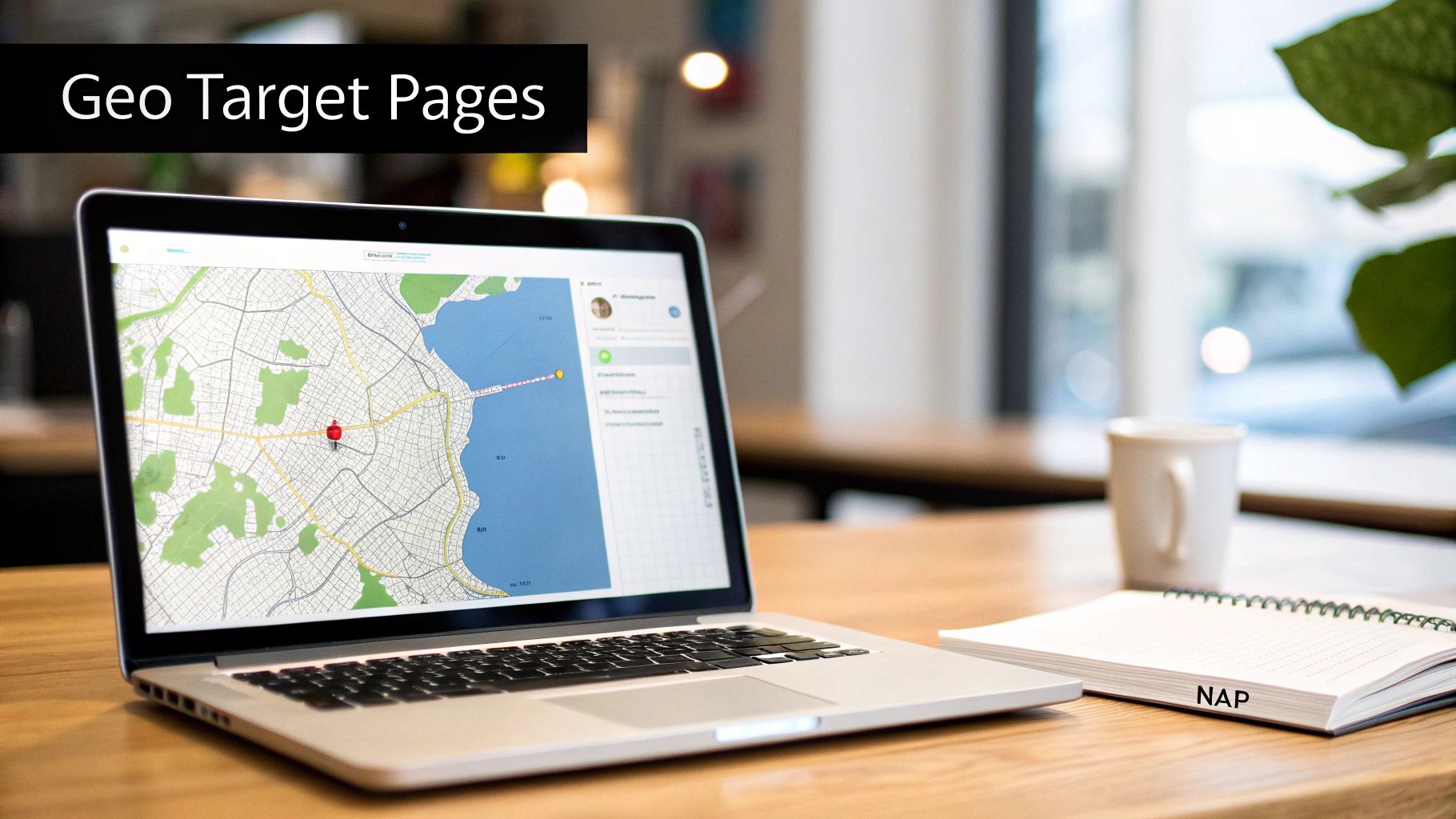
Forget generic service pages. They don't cut it in the world of local SEO. If you really want to show Google you're a major player in a specific area, you need to build out geo-targeted service pages. These pages are laser-focused on a single service in a single location, and they are incredibly effective.
Instead of one broad "Plumbing Services" page, imagine telling stories for specific neighborhoods:
- Emergency Plumbing in Downtown Austin
- Drain Cleaning in South Congress
- Water Heater Repair for the 78704 Area
Each of these pages should be a deep-dive resource. Talk about common plumbing problems in that specific neighborhood, mention local landmarks, and tailor the language to the people who live there. This strategy directly mirrors the services you’ve listed on your GBP, creating an undeniable connection. It’s a loud, clear signal that you are the expert for that service in that exact spot.
Embed Your Map and Solidify Your NAP
Two of the simplest—yet most powerful—on-page signals are embedding a Google Map and locking down your NAP (Name, Address, Phone Number) consistency. The best place for these? The footer of your website, so they show up on every single page.
Putting a Google Map on your contact page does more than just help customers find you. It's another way of explicitly telling Google, "Yep, this is my verified location, and it matches my official business profile." That simple action reinforces the very location data you're trying to rank for.
Your website's footer is prime real estate for local SEO. By placing your exact NAP there, you ensure that every page on your site—from the homepage to the latest blog post—broadcasts a consistent location signal to Google's crawlers.
And when I say consistent, I mean it. The NAP in your footer has to be an exact, character-for-character match to what's on your GBP. No exceptions.
Write with Local Flavor to Build Authority
Your blog is a secret weapon. It's how you prove you're not just in a community but an active part of it. Writing content with "local flavor" builds incredible topical authority and attracts valuable local backlinks. This is storytelling that also serves SEO and GEO.
For instance, a landscaping company in Phoenix could write a post titled, "The Top 5 Drought-Resistant Plants for Phoenix Backyards." Or an HVAC contractor in Austin could publish, "Choosing the Right AC System for the Texas Heat."
These articles accomplish a few critical things:
- They solve local problems: This naturally pulls in highly relevant traffic from potential customers in your service area.
- They use local keywords: Phrases like "Texas Heat" or "Phoenix Backyards" organically reinforce your geographic relevance.
- They attract local links: A local gardening club might link to the Phoenix landscaping post. An Austin real estate blog might reference the HVAC article.
These local backlinks are pure SEO gold. They're votes of confidence from other local entities, telling Google that your business is a trusted authority in the region. This is exactly the kind of signal that helps you climb the Google Maps rankings and prove your prominence beyond a shadow of a doubt.
Advanced Strategies for Competitive Niches
When you're fighting for visibility in a crowded market—think of the endless listings for plumbers, personal injury lawyers, or HVAC companies—just getting the basics right is your ticket to the game. It doesn't guarantee you a win.
Winning in these hyper-competitive niches means going beyond a complete profile. It requires consistent, strategic activity that separates the businesses in the coveted 3-Pack from everyone else. This is where you stop treating your profile like a static listing and start using it as a dynamic marketing tool that sends constant activity signals to Google.
Dominate with Proactive Engagement
Your Google Business Profile isn't a set-it-and-forget-it asset; it’s a living, breathing part of your online footprint. Two of the most powerful—and most underused—features for proving you're active are Google Posts and the Q&A section. They are your secret weapons for standing out.
Think about it. Regularly using Google Posts to announce special offers, showcase new services, or highlight company events sends a loud and clear signal that your business is alive and kicking. These posts appear directly in your profile on Search and Maps, giving you free real estate to grab a searcher's attention. A plumber could run a post for a "Clogged Drain Special," complete with a booking link, catching a high-intent customer at the exact moment they need help.
Likewise, the GBP Q&A feature is a goldmine. Most businesses just let it sit there, waiting for customers to ask questions. The pro move? Pre-populate it yourself. Brainstorm the top five questions your front desk answers every day. Then, go to your own profile, ask those questions, and immediately answer them with clear, keyword-rich responses. You've just turned a neglected feature into a powerful, self-managed FAQ that controls the narrative.
Master Strategic Local Link Building
While on-page optimizations and a humming GBP are critical, off-page authority is often the final piece of the puzzle. For local SEO, this means building high-quality, geographically relevant backlinks. Forget chasing hundreds of generic, low-quality links.
One single, powerful link from a hyper-local, authoritative source can be a complete game-changer.
This takes creativity and a genuine connection to your community. Consider this real-world story:
A landscaping company in a competitive suburban market was stuck. They just couldn't break into the top three for their main zip code. Instead of just buying more directory listings, they sponsored a local community garden project. This partnership got them a feature on the city’s official parks and recreation department website, complete with a high-authority backlink.
Within two months, their prominence score skyrocketed. They started dominating the map rankings for that entire zip code, not just for "landscaping" but for related terms like "garden design" and "lawn care." That single, strategic move did more for their visibility than a year's worth of basic SEO busywork. This wasn't just SEO; it was community storytelling that paid digital dividends.
Forge Meaningful Community Connections
Building these kinds of powerful local links isn't about spammy email outreach. It's about embedding your business into the fabric of the community you serve. Here are a few ways to start earning these valuable links:
- Sponsor a local youth sports team. Their website, or the local league's site, will almost always link back to their sponsors. It's a classic for a reason.
- Host a free workshop or event. Partner with a local library or community center to host an educational seminar related to your industry. A financial planner could offer a "First-Time Homebuyer" workshop, for instance.
- Team up with non-competing local businesses. A roofer and a solar panel installer could co-author a blog post for a local real estate agent's website about increasing home value.
These strategies do so much more than just build links. They build real-world authority and brand recognition, reinforcing to Google that you are a trusted and integral part of the local ecosystem. In a dog-eat-dog market, these are the tactics that secure a lasting competitive edge.
You can't improve what you don't measure. And when it comes to Google Maps, that means moving beyond obsessively checking your own rankings from your office computer. True success is about tracking the metrics that actually drive business—the tangible customer actions that lead straight to revenue.
Instead of just searching for your business name and hoping for the best, you need to dive into your Google Business Profile Insights. This is where you’ll find the data that really matters:
- Phone Calls: The number of potential customers who tapped the "call" button right from your profile. This is a direct lead.
- Direction Requests: A powerful indicator of foot traffic. This shows how many people asked Google for a route to your physical location.
- Website Clicks: This measures the traffic your GBP is sending to your website, where customers can learn more, book an appointment, or make a purchase.
These numbers tell the real story of your local visibility and its impact on your bottom line.
Visualize Your Rankings with GeoGrid Tools
To truly understand how to rank higher on Google Maps across your entire service area, you have to see what your customers see. This is where a GeoGrid tracking tool becomes indispensable. It simulates searches from multiple points within a geographic area, painting a visual map of where you’re strong and where you’re invisible.
For instance, a plumber in Austin might discover they're number one for searches within a three-mile radius of their shop but fall off the map completely just five miles away. This kind of data is gold. It helps you pinpoint specific neighborhoods where you need to build more authority, maybe by creating a targeted service page or running a hyper-local ad campaign.
GeoGrid reports take all the guesswork out of the equation. They reveal your ranking blind spots and highlight new opportunities for expansion, turning raw data into an actionable growth map for your local SEO strategy.
Troubleshooting Common Roadblocks
Even a perfectly optimized profile can hit a snag. Staying visible means being ready to tackle common issues quickly and effectively before they hurt your business.
A sudden profile suspension is a common fear for any business owner. This is often triggered by changes to your core information (like your address or primary category) or what Google suspects are guideline violations. The key is to act fast. Review Google's guidelines, figure out the potential violation, and submit a detailed reinstatement request with supporting documentation, like a business license or utility bill.
Another frustrating issue is when negative, user-suggested edits hijack your profile. Remember, anyone can suggest an edit, and sometimes incorrect information gets approved. Make a habit of regularly checking your profile for accuracy. If you spot an incorrect change, log in and immediately correct it. Proactive monitoring is your best defense against these kinds of digital disruptions. Getting a handle on the nuances of reporting can also be a huge advantage, which you can explore in our complete guide on what is SEO reporting.
Common Questions About Ranking on Google Maps
If you're just diving into the world of local SEO, you probably have a few questions. That's a good thing. Let's tackle some of the most common ones we hear from business owners trying to get a leg up on Google Maps.
How Long Does This Actually Take?
This is the big one, and the honest answer is: it depends. The state of your competition and where you're starting from are huge factors. If you're just getting your Google Business Profile dialed in, you might see some encouraging movement in just a few weeks.
But building real, lasting authority is a marathon, not a sprint. We're talking about creating a steady flow of great reviews, locking down consistent business citations, and earning local links. To see significant, stable ranking improvements that stick, you should realistically plan for 3-6 months of consistent effort. Patience and persistence are your best friends here.
Does My Website's SEO Really Affect My Maps Ranking?
Absolutely. It's one of the most overlooked connections. Google doesn't see your website and your Google Business Profile as two separate things. It's constantly cross-referencing them to verify who you are, what you do, and how authoritative you are.
Think of a strong website as the anchor for your entire Maps presence. Important on-page signals—like using local keywords, being mobile-friendly, and having good overall site authority—directly feed into your "prominence" score. That score is a massive piece of the puzzle for winning the coveted map pack.
What if I Don't Have a Physical Storefront?
No problem at all. This is a super common scenario for service-area businesses (SABs) like plumbers, electricians, or mobile detailers.
The key is setting up your Google Business Profile correctly from the start. When you register, you'll choose to operate as a service-area business, which means you won't display a public address. Instead, you'll specify the exact cities, zip codes, or regions you serve. This keeps your home address private while telling Google and potential customers exactly where you operate. Just remember one golden rule: Never use a P.O. box. It’s a fast track to getting your profile suspended.
At Jackson Digital, our job is to turn these complex SEO questions into a clear, actionable strategy that gets your business seen. Let's build a plan that drives real growth. Find out how we can help at https://jackson-digital.com.